

Download iCloud – free secure cloud storage for Apple devices
Overview
iCloud is Apple’s flagship cloud‑based ecosystem that lets you store photos, documents, contacts, calendars, and reminders in a single, encrypted vault. The service is completely free for up to 5 GB of storage, making it an attractive option for anyone who wants a seamless, cross‑device backup solution without the hassle of third‑party software. By simply downloading the iCloud app or enabling iCloud Drive on macOS, iOS, iPadOS, or Windows, users gain instant access to their data from any connected device.
The platform’s tight integration with Apple’s hardware and software ensures that changes you make on a Mac appear instantly on an iPhone, and vice‑versa, without any manual syncing. Security is a core pillar: all files are encrypted both in transit (TLS) and at rest (AES‑256), and two‑factor authentication (2FA) adds an extra layer of protection for your Apple ID. iCloud also introduces iCloud Share, a collaborative feature that lets you share contacts, calendars, and reminders with family members while retaining full control over edit permissions. Whether you’re a photographer looking to back up high‑resolution images, a student storing lecture notes, or a busy professional needing reliable calendar syncing, iCloud offers a unified, user‑friendly environment that keeps your digital life organized and safe.
Key Features
- iCloud Drive: Store any file type—documents, PDFs, media—in a private cloud that syncs automatically across macOS, iOS, iPadOS, and Windows.
- Photo Library: Unlimited photo backup for Apple users with iCloud Photos, complete with intelligent organization and shared albums.
- iCloud Share: Share contacts, calendars, and reminders directly from your device with fine‑grained permission controls.
- End‑to‑End Encryption: TLS for data in transit and AES‑256 for data at rest, plus 2FA for your Apple ID.
- Family Sharing: Up to six family members can share storage plans, purchases, and location data while keeping personal files private.
- Offline Access: Files marked for offline use remain accessible even without an internet connection, syncing automatically when you’re back online.
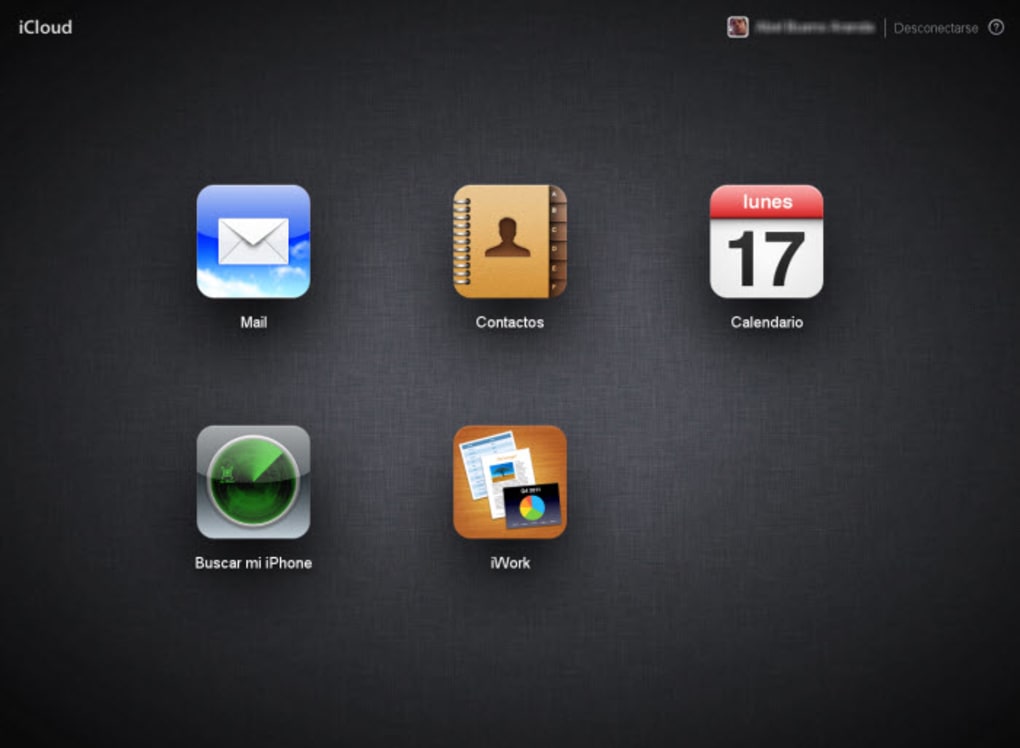
- Cross‑Platform Support: Native apps for macOS, iOS, iPadOS, and a Windows client, plus web access via iCloud.com.
- Automatic Backup: Devices back up daily when connected to Wi‑Fi, ensuring you never lose critical data.
Installation, Usage & Compatibility
How to Install iCloud
Getting started with iCloud is straightforward. On macOS and iOS devices, iCloud is pre‑installed; you simply need to sign in with your Apple ID under System Settings → Apple ID or Settings → [your name] → iCloud. For Windows users, download the iCloud for Windows installer from Apple’s official site, run the .exe file, and follow the on‑screen prompts to link your Apple ID. Once installed, select the categories you wish to sync—Photos, Mail, Contacts, Calendars, and iCloud Drive—and click “Apply.” The client will create a dedicated iCloud Drive folder in File Explorer, mirroring the same folder in Finder on macOS.
Using iCloud Effectively
After installation, iCloud works silently in the background. Drag and drop files into the iCloud Drive folder to upload them; they become instantly available on all devices logged into the same Apple ID. The Photos app automatically uploads new pictures taken with your iPhone or iPad, and you can enable “Optimize Mac Storage” to keep local disk usage low while retaining full‑resolution versions in the cloud. For collaboration, open the “Share” button next to a contact, calendar, or reminder, choose the people you want to involve, and set permission levels (view‑only or edit). Any changes made by collaborators appear in real time across all linked devices.
Supported Operating Systems
iCloud is compatible with macOS 13 Ventura or later, iOS 17, iPadOS 17, and Windows 10/11 (64‑bit). The web portal works on any modern browser, including Chrome, Safari, Edge, and Firefox, ensuring you can access your files even on Linux machines or public computers.
Pros & Cons
Advantages
- Free 5 GB tier—perfect for light users and students.
- Deep integration with Apple ecosystem eliminates manual syncing.
- Robust security with end‑to‑end encryption and 2FA.
- Family Sharing lets multiple users benefit from a single storage plan.
- Cross‑platform client for Windows and web access expands usability.
Drawbacks
- Free storage limit (5 GB) fills quickly with photos and videos.
- Windows client lacks some macOS features (e.g., seamless Desktop & Documents sync).
- iCloud’s web interface can feel slower compared to dedicated desktop apps.
- Limited customizability for folder sharing compared to third‑party services.
- Requires an Apple ID, which may be a barrier for non‑Apple users.
Frequently Asked Questions
How much free storage does iCloud provide?
Apple offers 5 GB of free iCloud storage to every Apple ID. This space is shared across all iCloud services, including photos, documents, backups, and shared items.
Can I use iCloud on a non‑Apple device?
Yes. iCloud for Windows provides access to iCloud Drive, Photos, Mail, and Calendar on Windows 10/11. Additionally, iCloud.com lets you log in from any modern browser to view and download files.
Is my data really encrypted?
All iCloud data is encrypted in transit using TLS and at rest with AES‑256 encryption. Sensitive data such as passwords and Health information receive end‑to‑end encryption, meaning only you can decrypt it.
How do I upgrade my iCloud storage?
Open Settings → [your name] → iCloud → Manage Storage → Change Storage Plan. Options include 50 GB, 200 GB, and 2 TB plans, billed monthly. Family members can share a larger plan via Family Sharing.
What happens to my files if I cancel my paid plan?
If you downgrade to the free tier, Apple will give you a 30‑day grace period to reduce your usage below 5 GB. If you exceed the limit after that, new uploads will be blocked until you free up space or upgrade again.
Conclusion & Call to Action
iCloud remains one of the most reliable, secure, and seamlessly integrated cloud storage solutions on the market, especially for users entrenched in the Apple ecosystem. Its free tier is generous enough for light backups, while paid plans scale effortlessly for families and professionals. The combination of automatic syncing, robust encryption, and collaborative sharing tools makes iCloud a compelling choice for anyone who values both convenience and privacy. If you’re ready to protect your photos, documents, and personal data with a service that works out‑of‑the‑box across all your Apple devices, click the button below to download iCloud and start syncing today.
Pros: Free tier, deep Apple integration, strong security, cross‑platform access.
Cons: Limited free storage, Windows client lacks some features, web UI can be sluggish.



.png)



